Inside Covered

The whole business,
with the walls opened up.

Covered is one connected operating system for independent service businesses. This is what that means in practice: the day starts on one dashboard, work moves from the office to the field, and the same records carry through payroll, remittances, and year-end preparation.

Take the guided tour
covered / dashboardLive business view
Covered dashboard showing cash on hand, open receivables, revenue, customers, projects, schedule, and invoice aging
One calm starting point for what needs attention today.
01 / Daily view

Know where the day stands before it starts.

The dashboard brings the business signals that usually live in separate tools into one view. Cash, receivables, active projects, today's schedule, overdue invoices, upcoming bills, and items waiting for approval sit side by side.

A dashboard built around decisions

Covered does not stop at reporting what happened. It surfaces what needs action: an aging invoice, a bill coming due, a timesheet to approve, or an open space in the schedule. New invoices, bills, customers, and appointments are one click away.

  • See cash position and money moving in or out
  • Catch overdue work before it becomes a surprise
  • Move directly from the signal to the task
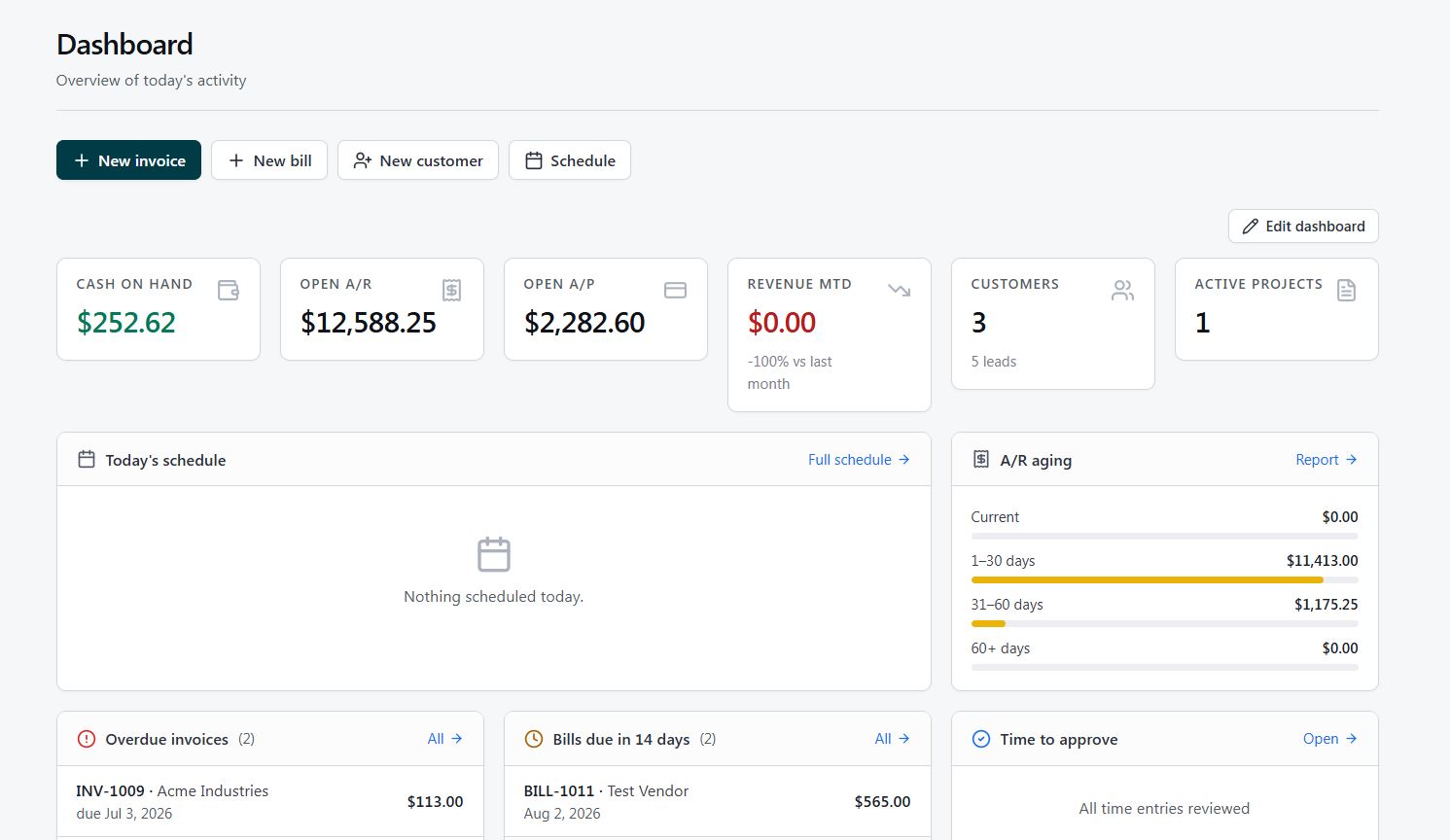
DashboardOverview of today's activity
Covered dashboard with financial, schedule, project, and task summaries
02 / Operations

From booked time to finished work, without rebuilding the job.

Appointments, crews, field details, estimates, and job performance share the same underlying customer and project information. The office gets visibility without asking the field to report the same thing twice.

Keep commitments visible

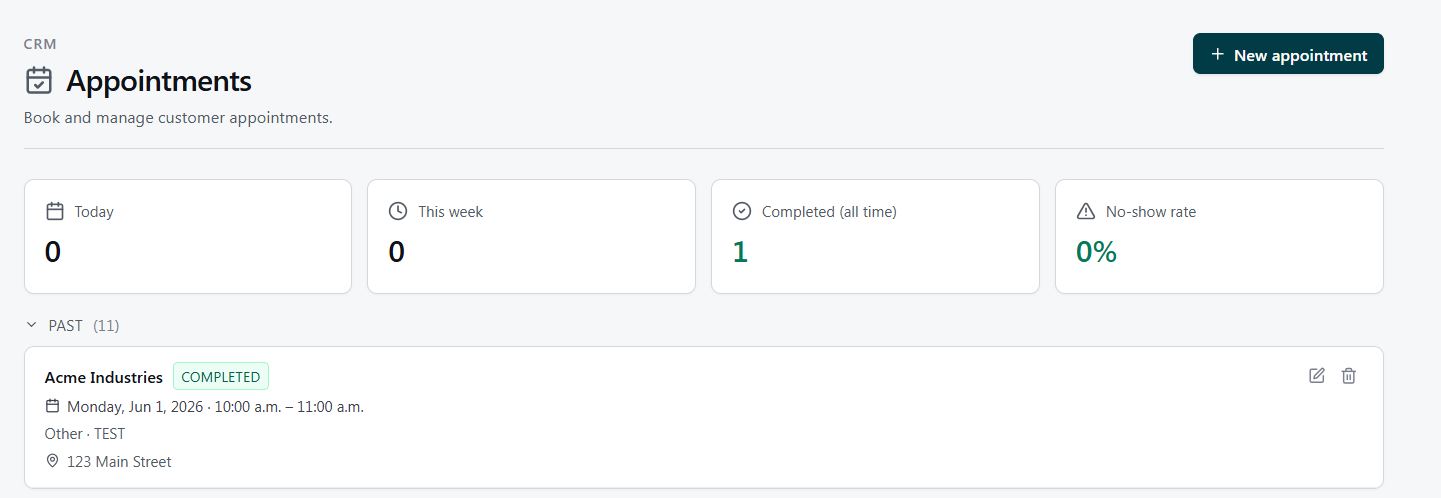
Appointments hold the customer, date, time, and location in one clean record. Teams can quickly see what is coming up, what is complete, and where gaps or no-shows need attention.

CRM / AppointmentsBooked and completed
Covered appointments page with appointment status summaries and a completed customer appointment

See capacity by person and week

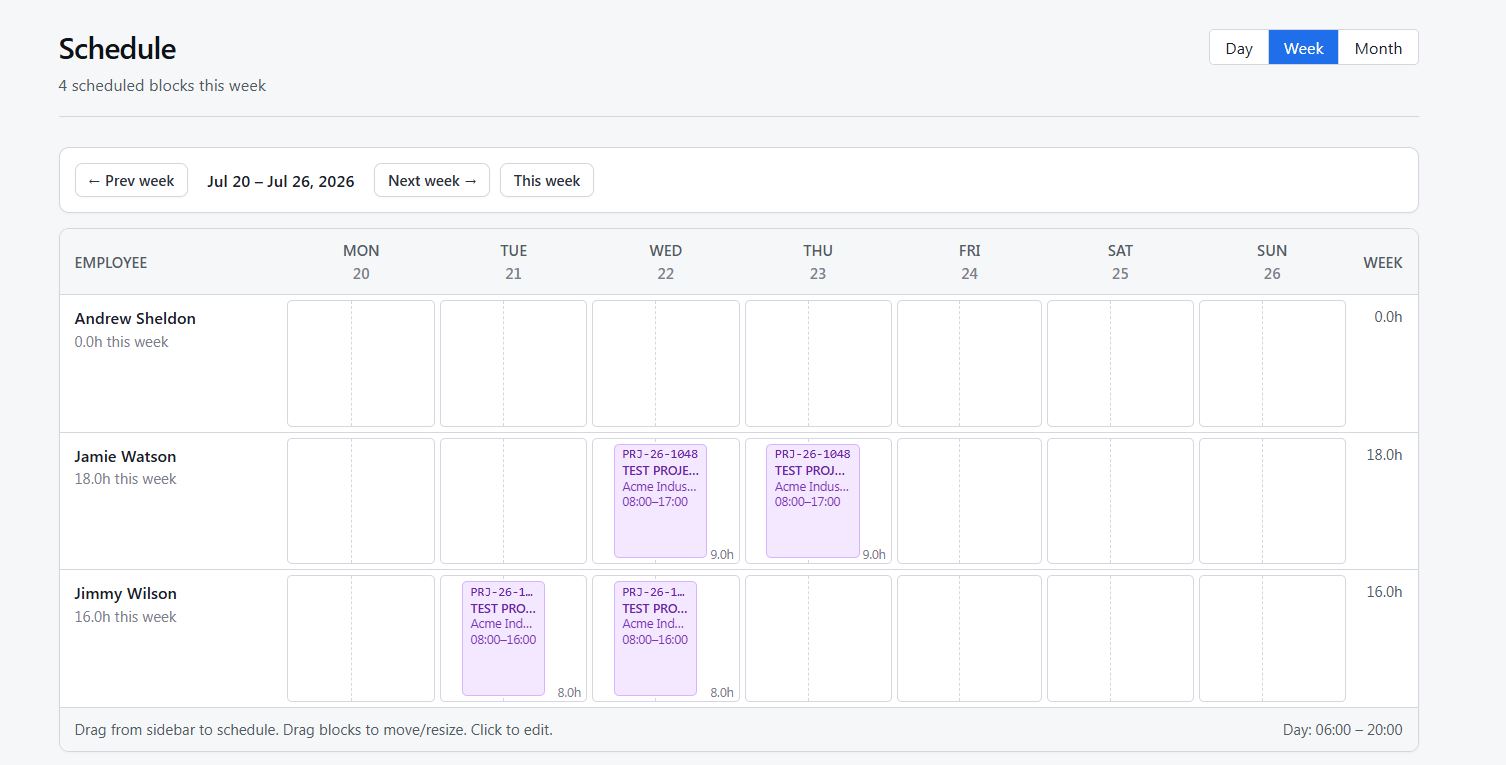
The schedule lays work across each employee's week, making overlaps, open capacity, and assigned hours easy to spot. Day, week, and month views keep the same plan useful from dispatch to longer-range staffing.

ScheduleWeek view
Covered weekly crew schedule showing assigned jobs across employee rows

Send the full brief, not a text thread

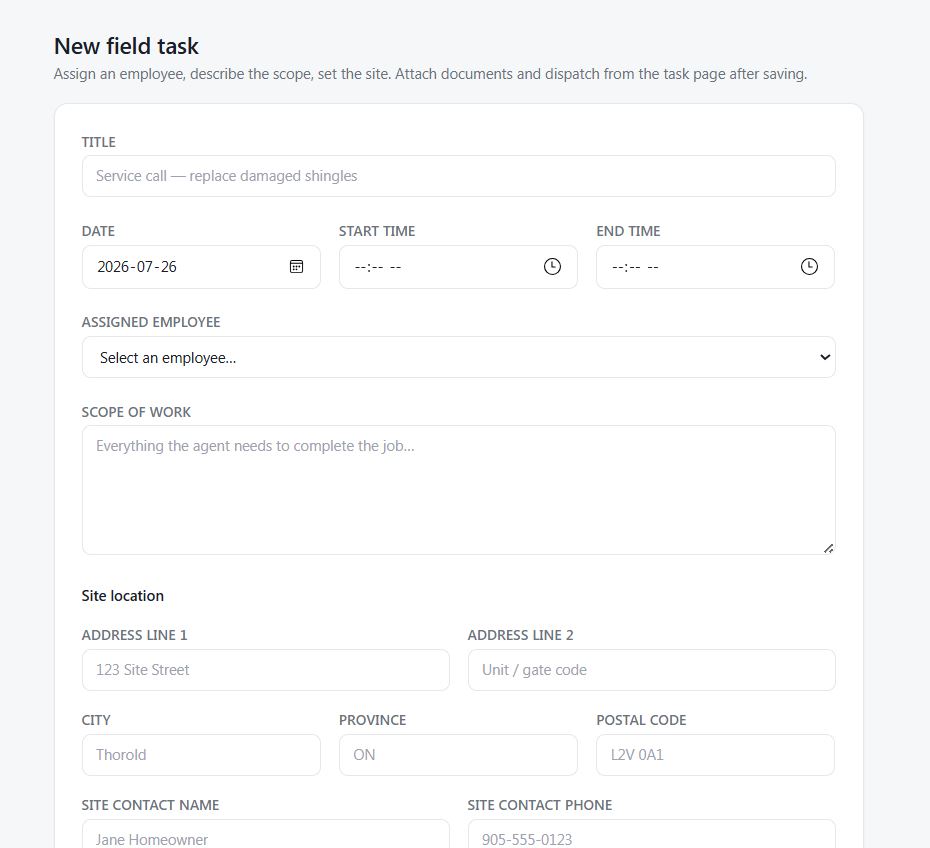
A field task packages the assignment, timing, scope, site address, and customer contact details for the person doing the work. Everyone starts with the same instructions and the record stays attached to the job.

New field taskJob brief
Covered field task form with title, date, assigned employee, scope of work, and site details

Built around your industry and business process

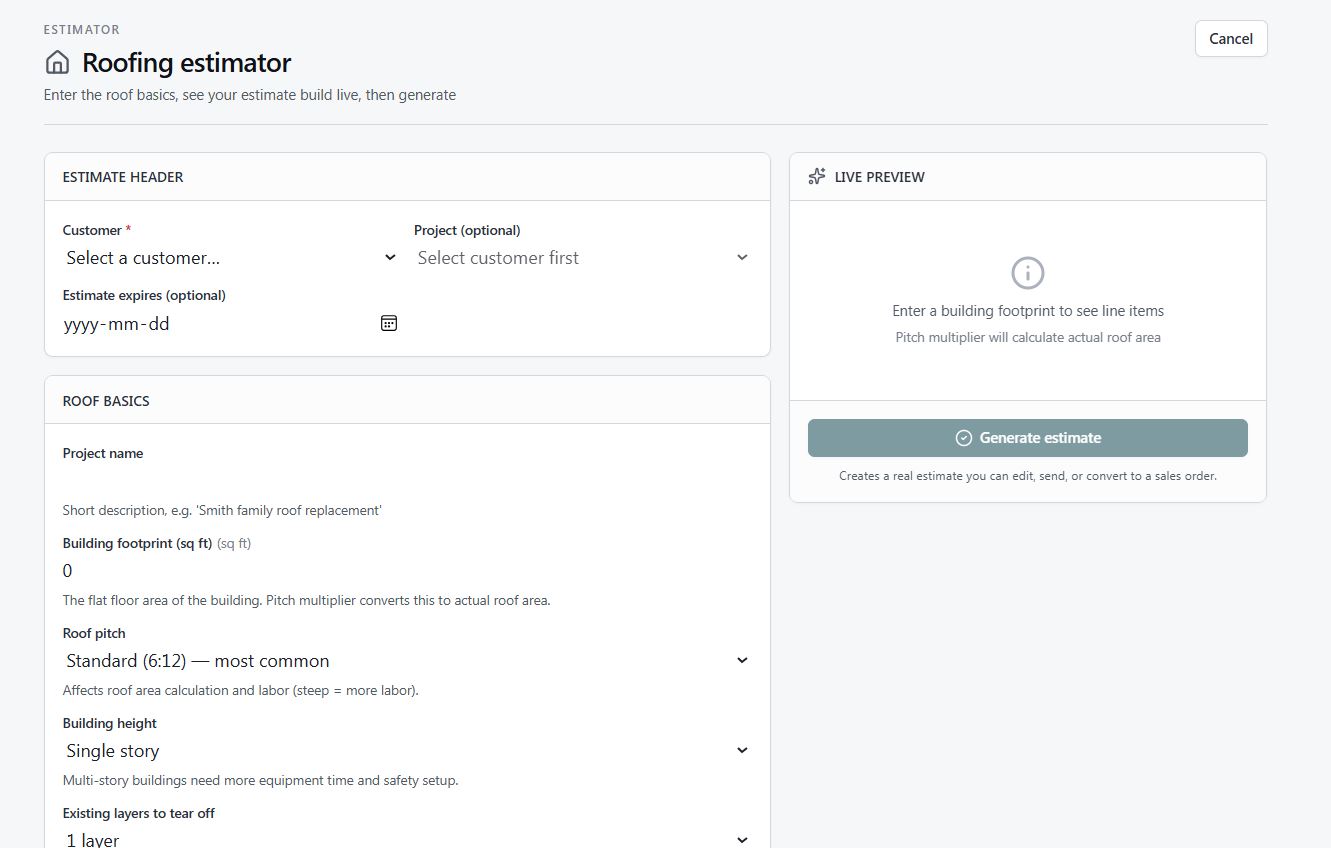
Covered can shape an estimator around the way your business actually scopes and prices work—using your required measurements, materials, labour assumptions, options, and approval steps. The roofing workflow shown here is one example of a purpose-built process, not a one-size-fits-all template.

Your inputs Your pricing logic Your workflow
Custom estimatorRoofing example
An example of a custom Covered estimator configured for a roofing business, with customer details, roof measurements, material choices, and estimate preview

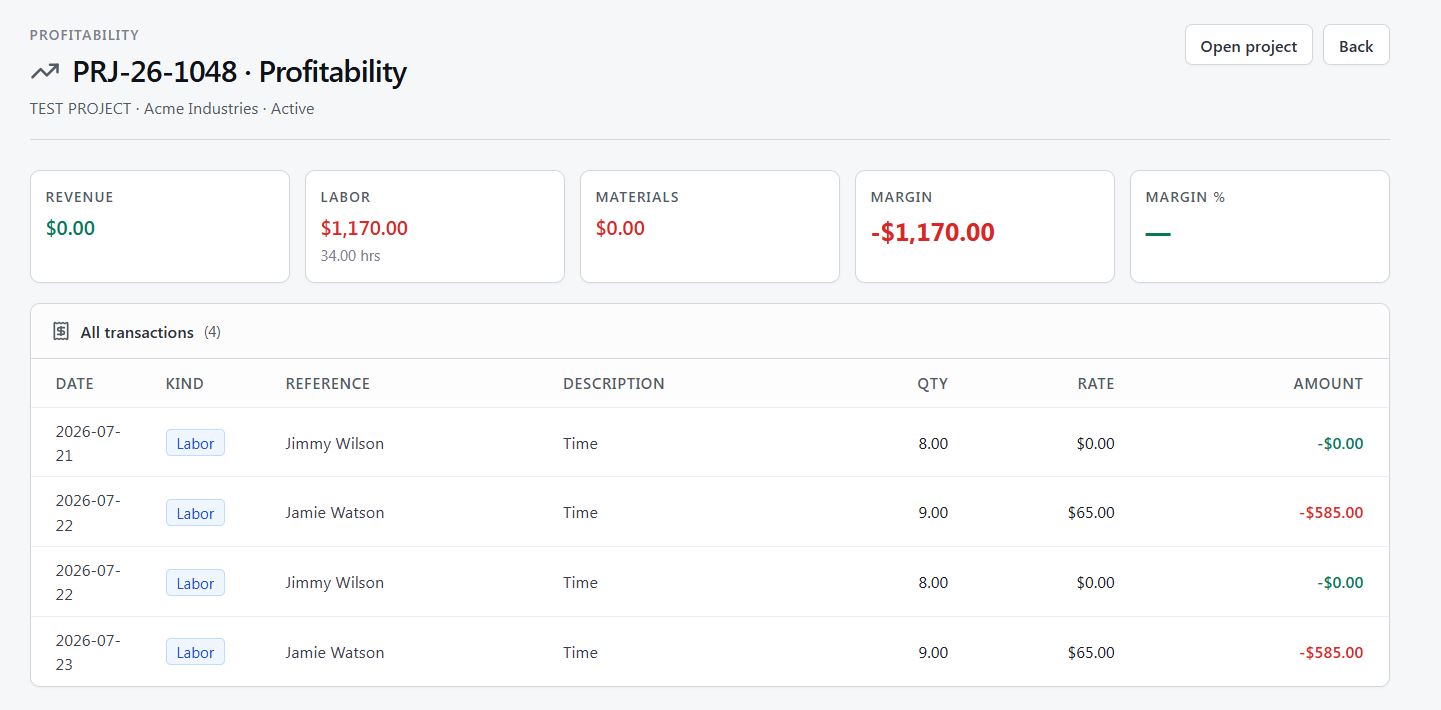
Know whether the work paid off

Revenue, labour, materials, margin, and every supporting transaction come together at the project level. Instead of waiting for the books to reveal a pattern months later, owners can understand what each job earned while the details are still useful.

  • Compare revenue against labour and materials
  • Trace every number to its source transaction
  • Use real job results to price the next one better
ProfitabilityProject performance
Covered project profitability report showing revenue, labour, materials, margin, and project transactions
03 / Growth

Look after the reputation that brings in the next job.

Growth work often gets pushed to the second shift. Covered puts reviews and social drafting alongside the operational work, so a strong customer experience can keep working after the invoice is sent.

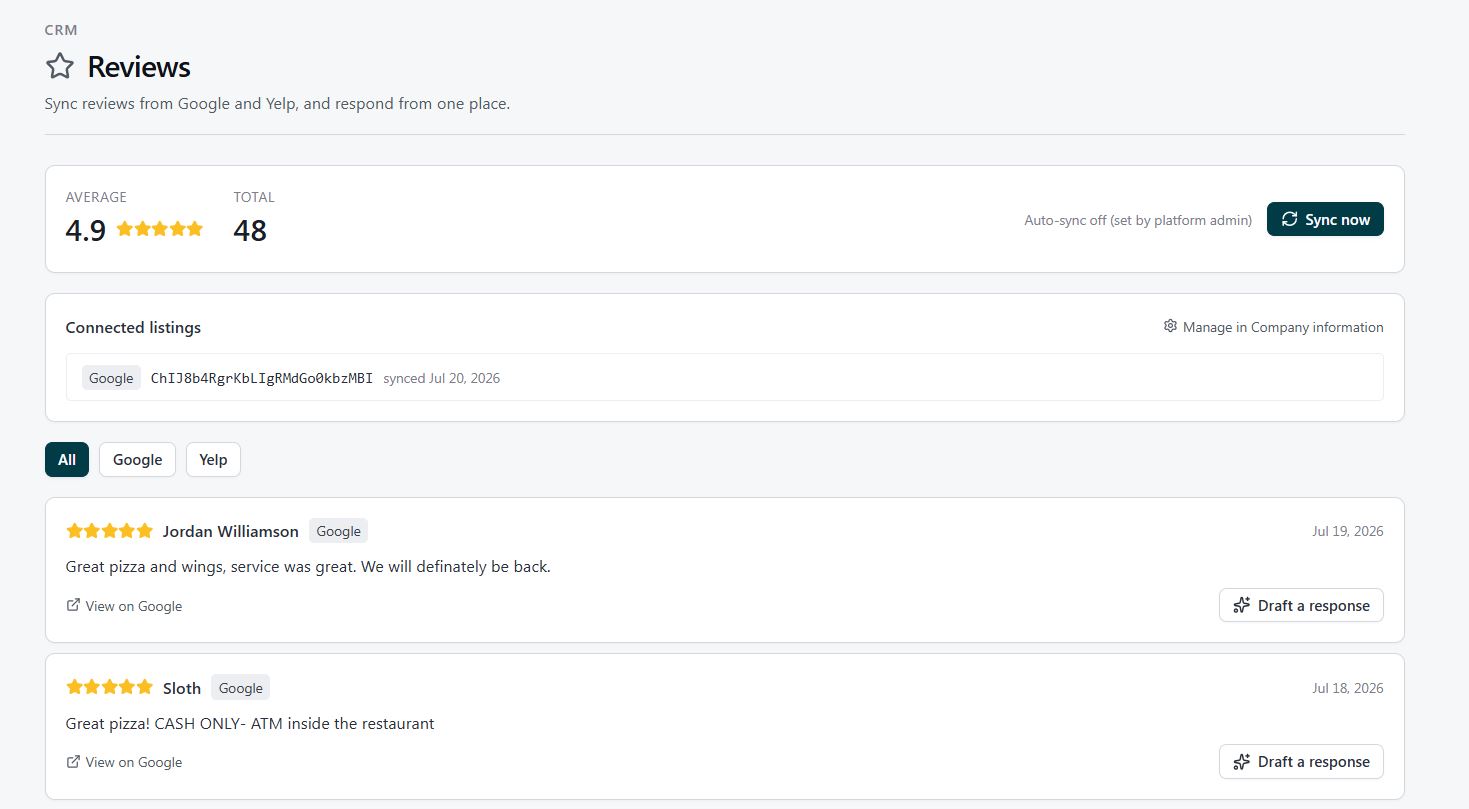
Listen and respond from one place

Bring Google and Yelp reviews into a single feed, track the overall rating, and draft a thoughtful response without jumping between accounts. Good feedback becomes a relationship; difficult feedback becomes a task that can be handled promptly.

CRM / ReviewsConnected listings
Covered reviews page with connected review sources, average rating, and response actions

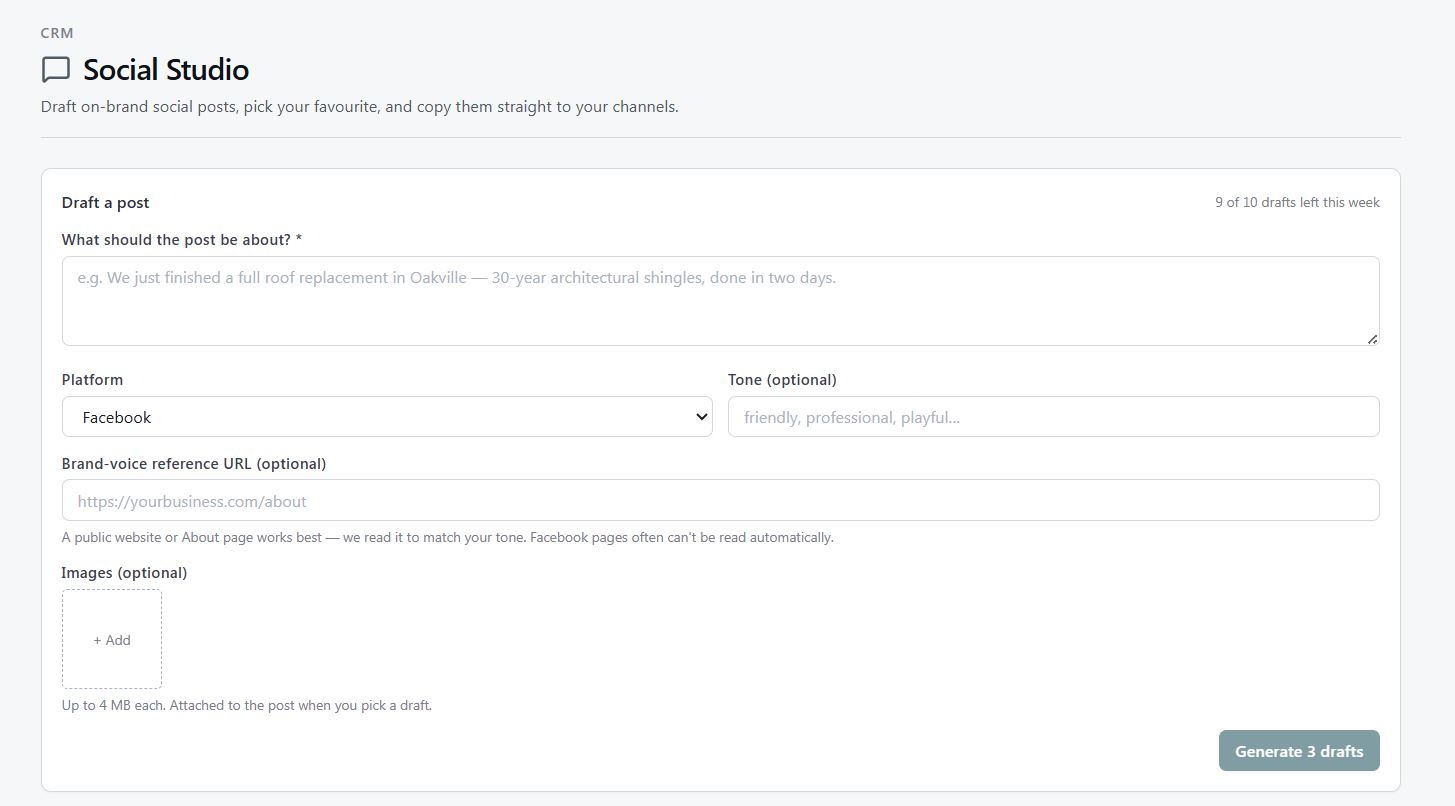
Start with the idea, not a blank caption

Give Covered a topic, platform, tone, and optional jobsite image. Social Studio shapes those raw materials into a usable draft that still sounds like the business—not a full-time marketing department.

Generator / Social StudioDraft a post
Covered Social Studio form for drafting a branded social post with platform, tone, link, and image options
04 / Back office

The records keep moving after the job is done.

Covered carries operational records into the administrative work that follows. Payroll calculations create journal entries, remittances remain traceable to their source runs, and year-end preparation starts from books that have been kept in the same system.

01

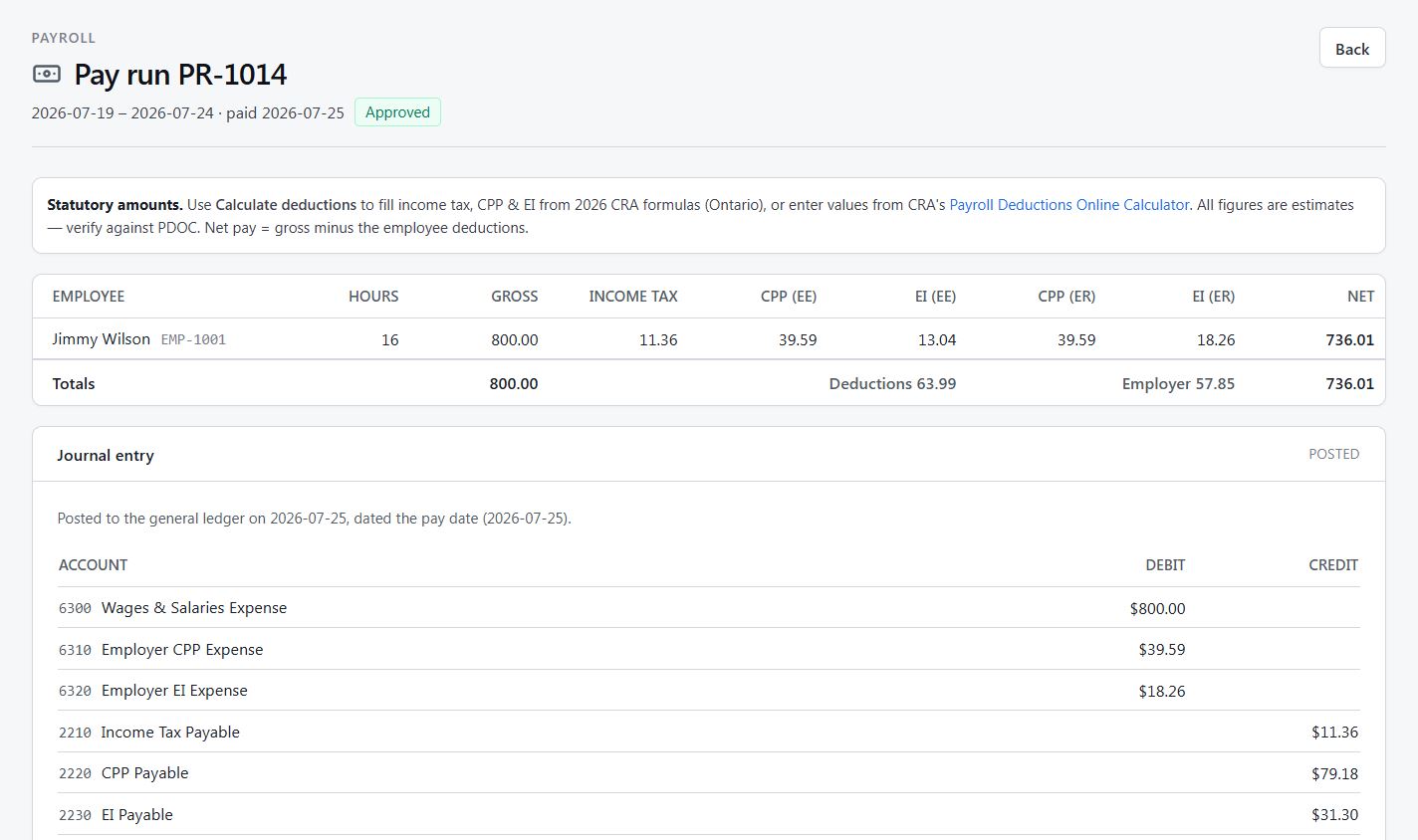
Gross pay to posted books

Hours, gross pay, income tax, CPP, EI, and net pay are calculated together. The resulting journal entry is visible beneath the run, connecting what employees are paid to what the general ledger records.

PayrollApproved run
Covered payroll run with employee earnings, statutory deductions, net pay, and posted journal entry
02

Know what is owed and why

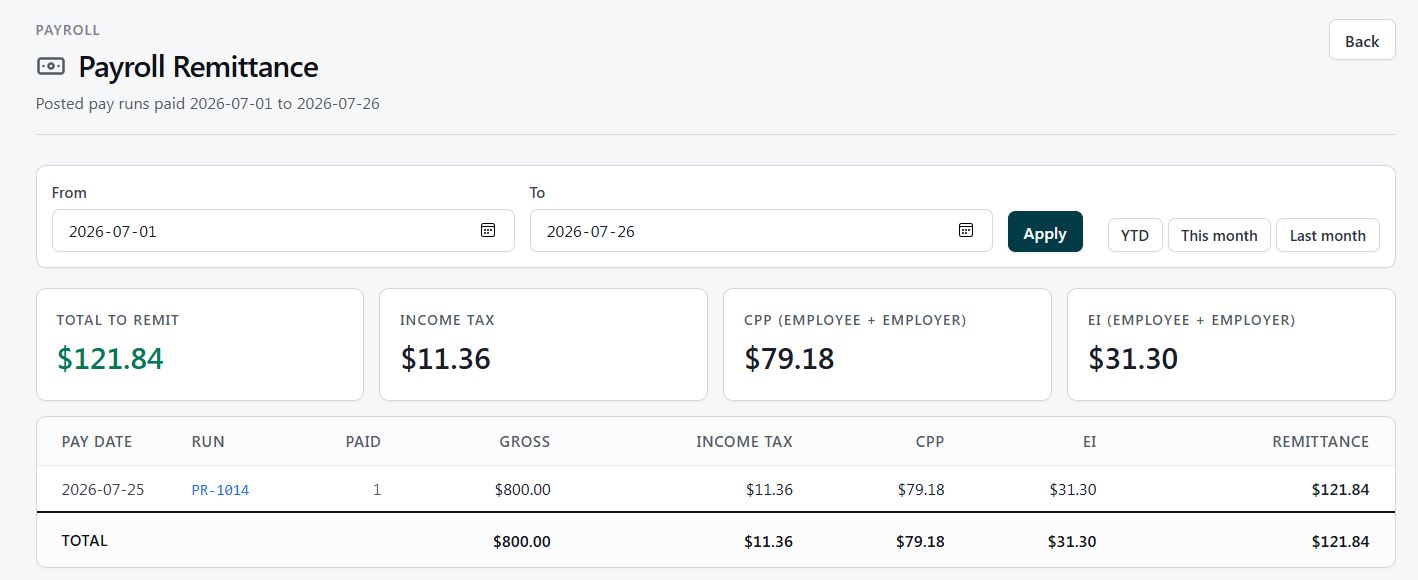
Remittance totals separate income tax, employee and employer CPP, and EI. Each amount stays tied to the pay run that produced it, giving the business a clear path from payroll activity to the amount due.

PayrollRemittance
Covered payroll remittance report showing total due and income tax, CPP, and EI components
03

Turn year-end into a checklist, not a scavenger hunt

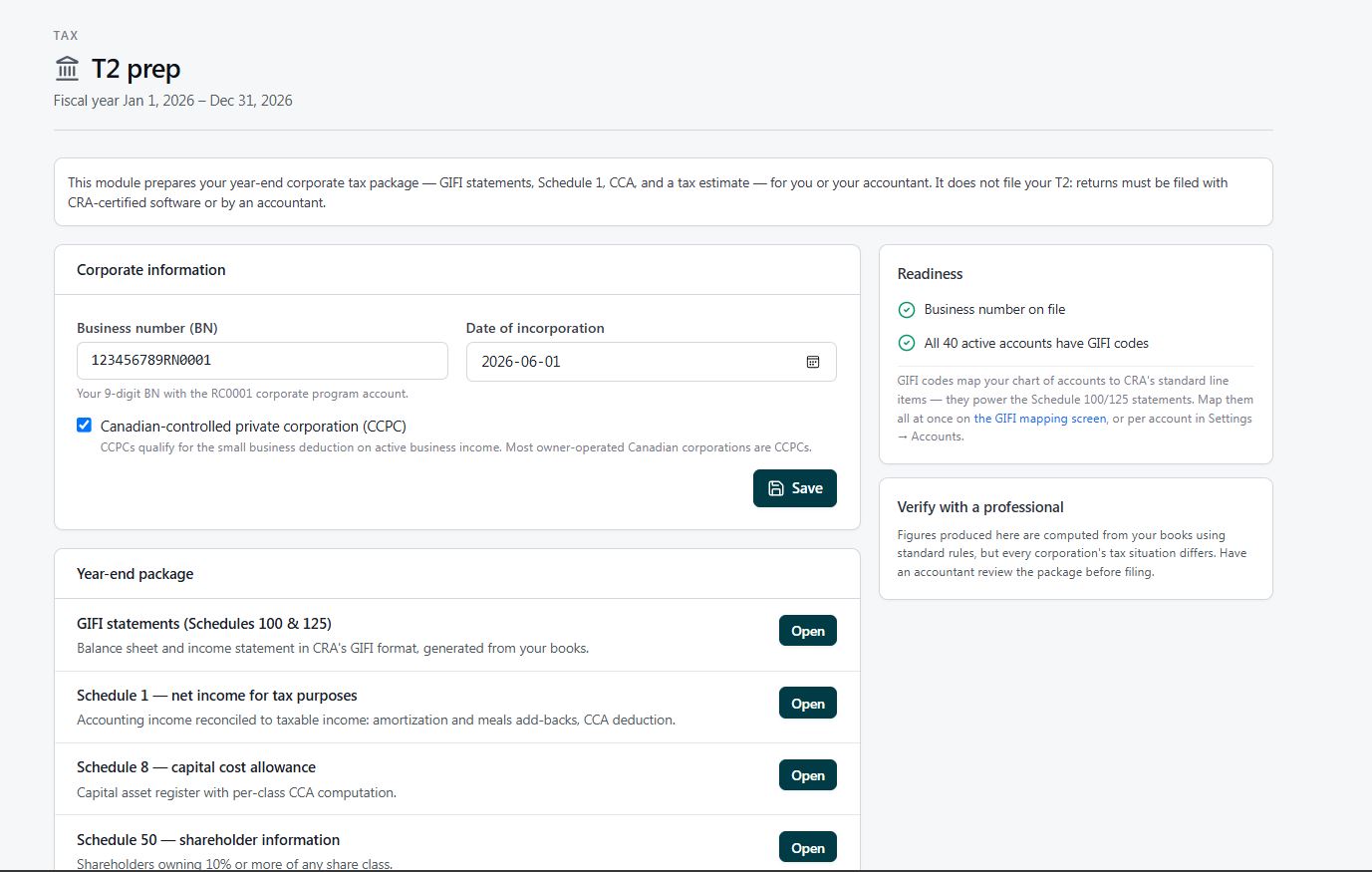
The T2 workspace gathers corporation details, checks readiness, and organizes the supporting schedules needed for a Canadian corporate return. It does not hide the work—it gives owners and their accountant a shared, orderly package to work from.

TaxT2 preparation
Covered T2 preparation page showing corporation information, readiness checks, and year-end schedules
One connected record

The point is not more software.
It is less second shift.

Each screen solves a specific job. The difference is what happens between them: customer details remain consistent, project activity becomes financial context, and the work already done becomes the record needed for the next step.